9 E-E-A-T Author Signals Every Small Business Site Needs
On October 31, 2026, I had our crawler open 420 small auto shop websites. I wanted one answer from each. Who wrote the blog? Only 29 shops had a post we could open. Two of those posts named a real person by full name.5
Top Line
Google says E-E-A-T is not a ranking factor by itself. It still asks for bylines where readers expect them,1 and its raters start with your About page and the writer's profile.2 For a small business, author signals come down to nine things. A real name on each post. A page about that person. Proof of real work. Schema that says the same thing. Most small sites skip all of it, so a few hours of work can put you ahead of nearly every shop in town.
- 2 of 29 small shop blog posts we checked named a real person in the byline.
- 14 of the 29 were signed with the business name only.
- None of the 29 tied the writer to an outside profile in schema.
- Google tells its raters that fake author profiles earn the lowest rating.
- An owner can hire help with the words but still answers for them.
What 29 Shop Blog Posts Showed Us
Our crawler started from 420 small auto repair shop websites, picked at random from a shop list we keep. 364 home pages answered. It looked for a blog link on each home page, then opened the newest post it could find. 29 real posts came back. I read every byline by hand.5
| Who signed the post | Posts | Share |
|---|---|---|
| The business name only | 14 | 48% |
| A first name or user name, like "evan" | 5 | 17% |
| "admin", a stand in name or a marketing email | 4 | 14% |
| No author at all | 3 | 10% |
| A full name, in the schema only | 1 | 3% |
| A full name, shown on the page | 2 | 7% |
Three bylines linked to an author page. Two of those pages were for a first name only. One post listed its author as an email address at a marketing company.5
The home pages told the same story. Only 179 of the 364 linked an About page in code we could read. 216 linked a contact page. 202 carried business schema.5 Some menus load with scripts our crawler does not run, so those three counts may run a little low. The byline count is firm. Each one was read by a person.
So the bar is low. A shop that signs its posts with a real name already beats most of its town.
E-E-A-T Is Not a Score, but Raters Look for a Person
E-E-A-T stands for Experience, Expertise, Authoritativeness and Trust. Google says E-E-A-T itself is not a specific ranking factor. It also says trust matters most of the four.1
So why care about a byline? Google uses a mix of signals to find content that shows those traits. It sums up its own advice as three questions. Who made the content, how and why.1 Under Who, it asks if pages carry a byline where one might be expected. It strongly encourages accurate author information.1
Google also pays people to grade search results. Their guide is dated September 11, 2025. It tells them to start with the About page or the profile page of the person who made the content.2 No single rating moves your page in search. The grades help Google test its systems.2 Still, the raters are told to look for the same thing your customers look for. A person they can trust.
The 9 Author Signals
Work down this list in order. The first three matter most and cost nothing.
1. A Full Name on Every Post
Put a real first and last name under the title. Not the shop name. Not admin. A name a customer could ask for on the phone. In our check, that one step would have put a shop ahead of 27 of the 29 posts.5
2. A Byline That Opens an Author Page
Make the name a link. The page it opens should be about that one person. Many site builders make an author page on their own. Most are a bare list of posts. Add a photo, a short bio and the work that person does each day.
3. Proof From Real Jobs
Experience is the first E. Show it. Use your own photos from real jobs. Name the part, the tool and the reading you saw. Tell what went wrong and how you fixed it. A stock photo of a smiling worker proves nothing.
4. Credentials a Customer Can Check
Do not stop at the word licensed. Show the license number, the certificate name and the year. A customer can look those up. A claim they can check is worth more than a badge they cannot.
5. Person Schema on the Post
Schema is code that tells search engines what the page says. In the post's Article schema, mark the author as a Person. Google's own rules are short. Use the Person type for people. Put only the name in the name field. Add a url or sameAs link to a page about them. No property is required, so add what applies.3
6. Profile Links You Control
The sameAs field lists the writer's other real profiles. Think of a state license lookup, a trade group page or a LinkedIn profile. None of the 29 posts in our check did this.5 On the author page itself, Google supports ProfilePage markup for creators who share first hand views. Its sameAs field is for links to the person's other profiles.4
7. An About Page That Names the Owner
The rater guide starts with the About page.2 Yours should name the owner, say how long the business has run and show the team. Only 179 of the 364 home pages we read linked an About page.5
8. Contact Details That Match Everywhere
Use the same name, address and phone on the site, on your Google Business Profile and on every listing. A reader who finds three phone numbers starts to wonder which one is real.
9. Dates That Tell the Truth
Show when the post went up and when it last changed. Change the updated date only when you changed something real. A fresh date on old words is the kind of trick that costs trust.
Who Should Sign the Post
The owner, if the owner knows the work. Most small business owners do. You do the job every day. That is the experience Google keeps asking for.
Can your web company write it? Yes. The rater guide says a small business may hire a web developer to build its site. The owner is still responsible for the main content.2 So read the draft. Fix what is wrong. Add one thing only you would know. Then sign it.
Do not invent a writer. The rater guide puts sites with fake owner or author profiles under its lowest rating. Its example is AI content with made up author profiles. It also calls out profiles that claim credentials the writer does not hold.2 A made up "Mike, Master Tech" with a stock headshot is worse than no name at all.
Signing with the business name is not a penalty. On a service page, the business is the creator. The rater guide treats a business home page as content made by the website itself.2 Bylines matter most on advice posts, where a reader wants to know who is talking.
Person Schema You Can Copy
Paste this into the post's Article schema. Swap in your own name, title and pages. Keep the job title in its own field, the way Google asks.3
{
  "@context": "https://schema.org",
  "@type": "Article",
  "headline": "Why Your Brakes Squeal in the Rain",
  "datePublished": "2026-11-01",
  "author": {
    "@type": "Person",
    "name": "Jane Smith",
    "jobTitle": "Owner and Lead Technician",
    "url": "https://example.com/about/jane-smith/",
    "sameAs": ["https://www.linkedin.com/in/your-profile"]
  }
}
The name in the schema should match the name on the page. If the page says Jane Smith and the code says admin, the code is wrong.
Check Your Own Site in Ten Minutes
- Open your newest post. Is there a full name under the title?
- Click the name. Does it open a page about that person, with a photo?
- Open the page source and search for Person. Is the same name there?
- Open your About page. Does it name the owner?
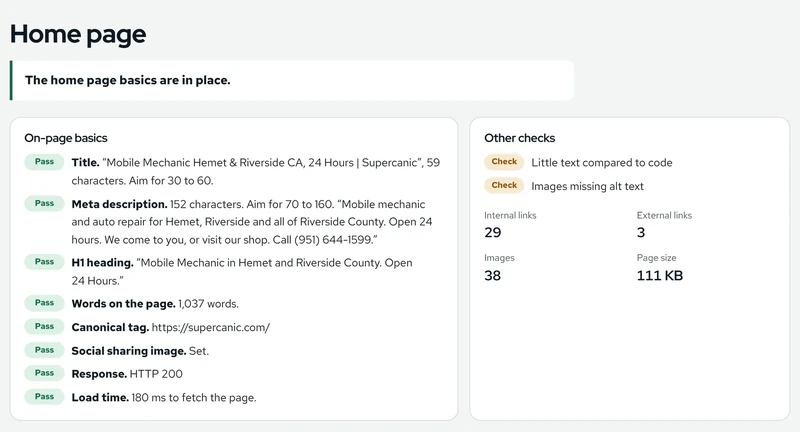
- Run the post through our free page checker. It lists the structured data the page carries.
For a scored second look, the free E-E-A-T audit from EEAT Authors rates 14 trust signals with no signup. Then run a full PageRanker audit to see your links, rankings and speed beside it.
Things Nobody Tells You
Does Google check who wrote my blog post?
Google says E-E-A-T is not a ranking factor by itself, but it asks for bylines where readers expect them and strongly encourages accurate author information. Its raters are told to start with the About page and the writer's profile.
Should I put admin as the author?
No. Admin tells a reader nothing about who stands behind the advice. Use the full name of the person who did the work, and link it to a page about them.
Can my marketing company write posts under my name?
Yes, if you read every post, fix what is wrong and stand behind it. Google's rater guide says a small business may hire help, but the owner is still responsible for the content.
Do my service pages need an author name?
Not usually. On a service page the business is the creator. Bylines help most on advice and how to posts, where a reader wants to know who is talking.
Is it bad to use a made up author name?
Yes. Google's rater guide puts fake owner and author profiles under its lowest rating, and it calls out profiles that claim credentials the writer does not have.
Do I need schema for author signals to count?
The visible byline comes first, because people read it. Schema then tells search engines the same thing in code. Google lists no required properties for Article markup, so start with the author name and a link to their page.
Also Asked
Anthony Limpert co-founded the company that runs PageRanker. He founded a marketing agency for local service businesses in 2004. More about who runs PageRanker.
Data Sources
- Google Search Central, Creating helpful, reliable, people first content. The Who, How and Why questions, bylines and the line on E-E-A-T as a ranking factor
- Google Search Quality Rater Guidelines, September 11, 2025. Sections 0.1, 2.5.2, 3.4 and 4.5.2 on ratings, content creators, the About page and fake profiles
- Google Search Central, Article structured data. Author markup best practices
- Google Search Central, ProfilePage structured data. Purpose and the sameAs property
- PageRanker check of 420 small auto repair shop websites, run October 31, 2026. 364 home pages answered, 29 had a blog post we could open, and every byline was read by hand
Keep our guides in your results. Follow PageRanker in Google Search and we show up higher when you look for SEO answers.
See where your own site stands. Links, Google rankings, a site crawl, mobile speed and your home page, checked in one report.
Run free audit